Events & Audit History
Complete timeline of all device events and audit trail
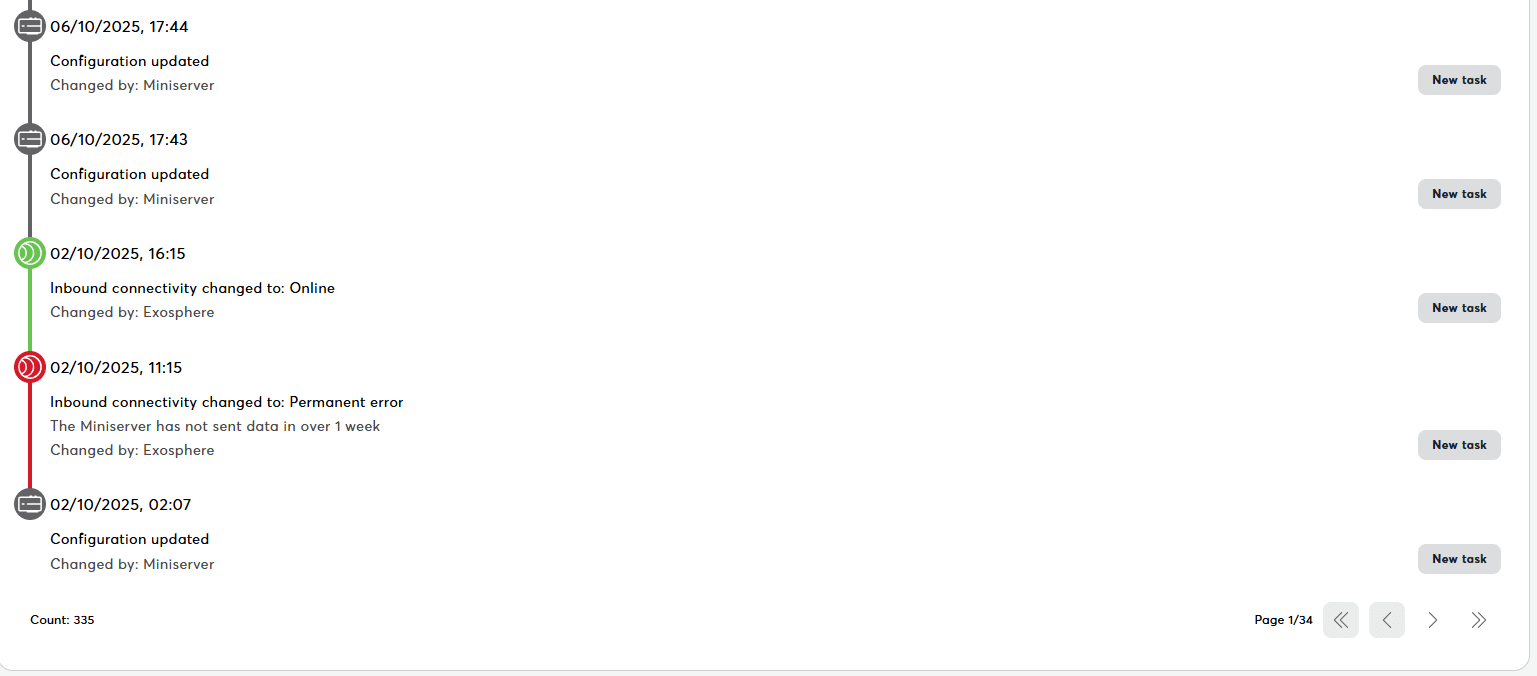
The Miniserver detail page includes two history-related tabs:
- Events – A timeline of device events such as connections, disconnections, backups, updates, and status changes.
- Audit History – A detailed audit trail of all user-initiated actions and configuration changes for compliance and troubleshooting.
Together, these tabs provide a complete record of everything that has happened with the device.
What this delivers:
- Complete event timeline
- Event filtering and search
- Export capabilities
- Performance tracking
- Audit trail for compliance
What You See
Event Timeline:
- Chronological list of all events
- Most recent events first
- Event types with icons
- Detailed information for each event
Event Categories
Connection Events:
- Device connected
- Device disconnected
- Connection state changed
- Reconnection attempts
- Certificate updates
Configuration Events:
- Configuration updated
- Structure refreshed
- System messages fetched
- Controls synced
- Rooms/categories changed
Maintenance Events:
- Firmware updated
- Backup created
- Backup restored
- Device rebooted
- Settings changed
User Actions:
- User assigned/removed
- Permissions changed
- Device settings modified
- Manual operations performed
- Comments added
System Events:
- Errors occurred
- Warnings issued
- Status changed
- Jobs completed
- Workflows executed
Event Information
Each event shows:
- Event type icon: Visual indicator
- Event title: What happened
- Timestamp: When it occurred
- User: Who initiated (if applicable)
- Details: Additional context
- Result: Success or failure
- Related items: Links to backups, messages, etc.
Event Details
Click event to expand:
- Full description
- Before/after values (for changes)
- Error messages (if failed)
- Duration (if applicable)
- Related events (linked actions)
- Technical details (workflow ID, etc.)
Related Documentation
- Miniserver Details - Central dashboard
- System Status - System messages
- Comments - Team collaboration
- Tasks - Device-specific task management