Backup Settings
Configure automatic backup schedules for Miniservers
Key Features
Hierarchical Configuration
Configure backups at multiple levels:
- Workspace Level: Default settings for all Miniservers
- Structure Element Level: Settings for specific folders/groups
- Device Level: Individual Miniserver overrides
Settings inherit from parent levels unless explicitly overridden. Visual indicators show where settings are configured.
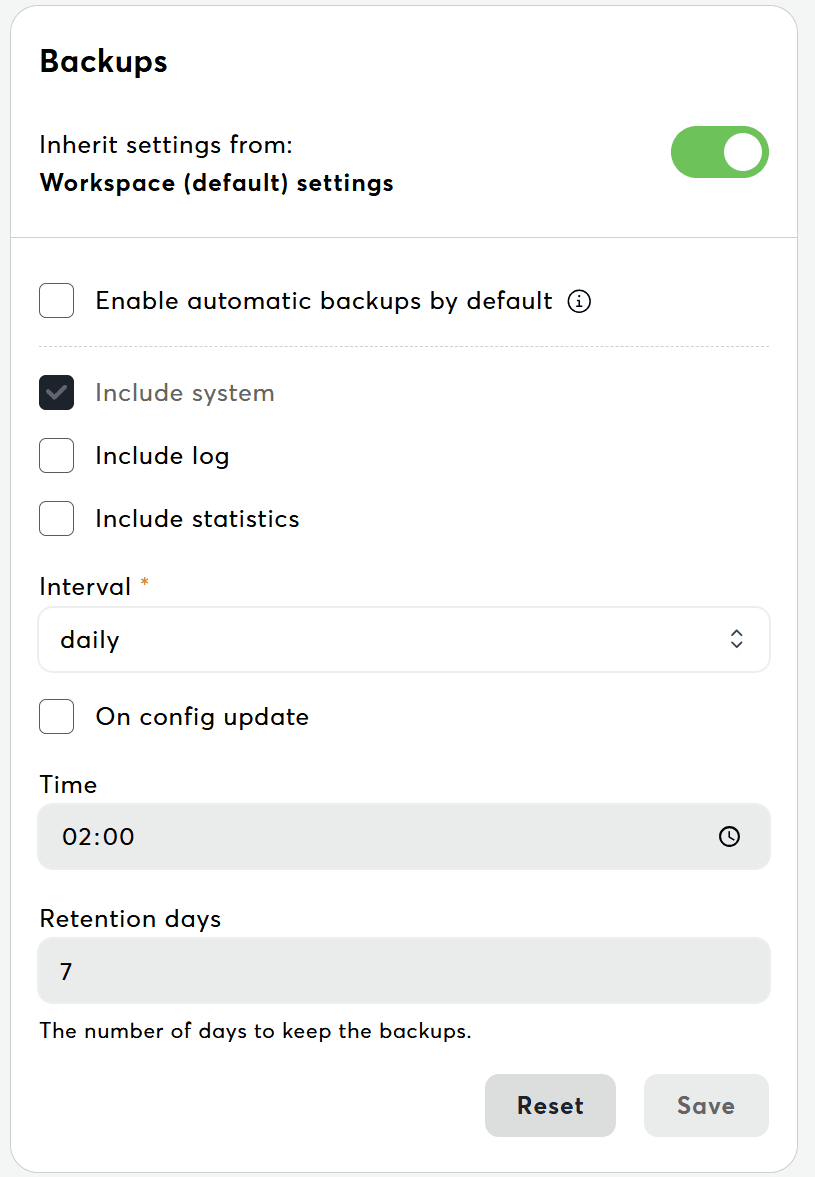
Backup Schedule Options
Daily Backups
- Runs every day at specified time
- Most frequent option for critical systems
- Best for production environments with frequent changes
Weekly Backups
- Runs once per week on selected day
- Good balance between frequency and storage
Monthly Backups
- Runs once per month on selected day
- For rarely changing systems
- Minimal storage usage
Time Configuration
- Set specific time for backup execution
- Format: HH:MM (24-hour)
Configuration Steps
- Navigate to Settings: Go to Settings → Miniserver → Backups
- Select Scope: Use structure tree to select:
- Workspace (root) for default settings
- Specific folder/group for targeted settings
- Individual device in device settings
- Configure Backup Schedule:
- Enable/disable automatic backups
- Select backup interval (daily/weekly/monthly)
- Choose day (for weekly/monthly)
- Set execution time
- Configure Backup Options:
- Include Log – Include Miniserver log files in the backup
- Include Statistics – Include statistics data in the backup
- Retention (days) – How many days to keep backups before automatic cleanup
- Retention mode (only shown when count based retention is activated for the workspace) – switch between By age (days) and Keep the latest backups. In Keep the latest backups mode, set Backups to keep (1 to 10) and Exo keeps only the newest backups of each Miniserver; backups on config changes are paused while a Miniserver's effective setting uses Keep the latest backups, because they would push older scheduled backups out. Miniservers that still use By age (days) keep their config-change backups. Contact support to activate this mode.
- Save Settings: Click "Save" to apply configuration. Settings take effect immediately.
Common Workflows
Configure Workspace-Wide Backups
Scenario: Set daily backups for all Miniservers at 3:00 AM
- Navigate to Backups: Go to Settings → Miniserver → Backups
- Select Workspace Root: Ensure no structure element selected (workspace root)
- Configure Schedule:
- Enable automatic backups
- Select "Daily" interval
- Set time to 03:00
- Save Configuration: Click "Save"
- Result: All Miniservers without custom settings now backup daily at 3:00 AM
Related Documentation
For troubleshooting backup issues, see Settings Issues.