Categories
Browse categories across devices and organize them into groups
The Categories page gives you a unified view of all Loxone categories across your connected Miniservers. Categories are defined in Loxone Config (e.g., Lighting, Shading, Climate) and automatically synced to Exosphere. Use this page to browse, search, and organize categories into custom groups.
This page shares the same layout and functionality as the Rooms page — including search, group management, and navigation shortcuts to controls.
Open Inventory → Categories to get started.
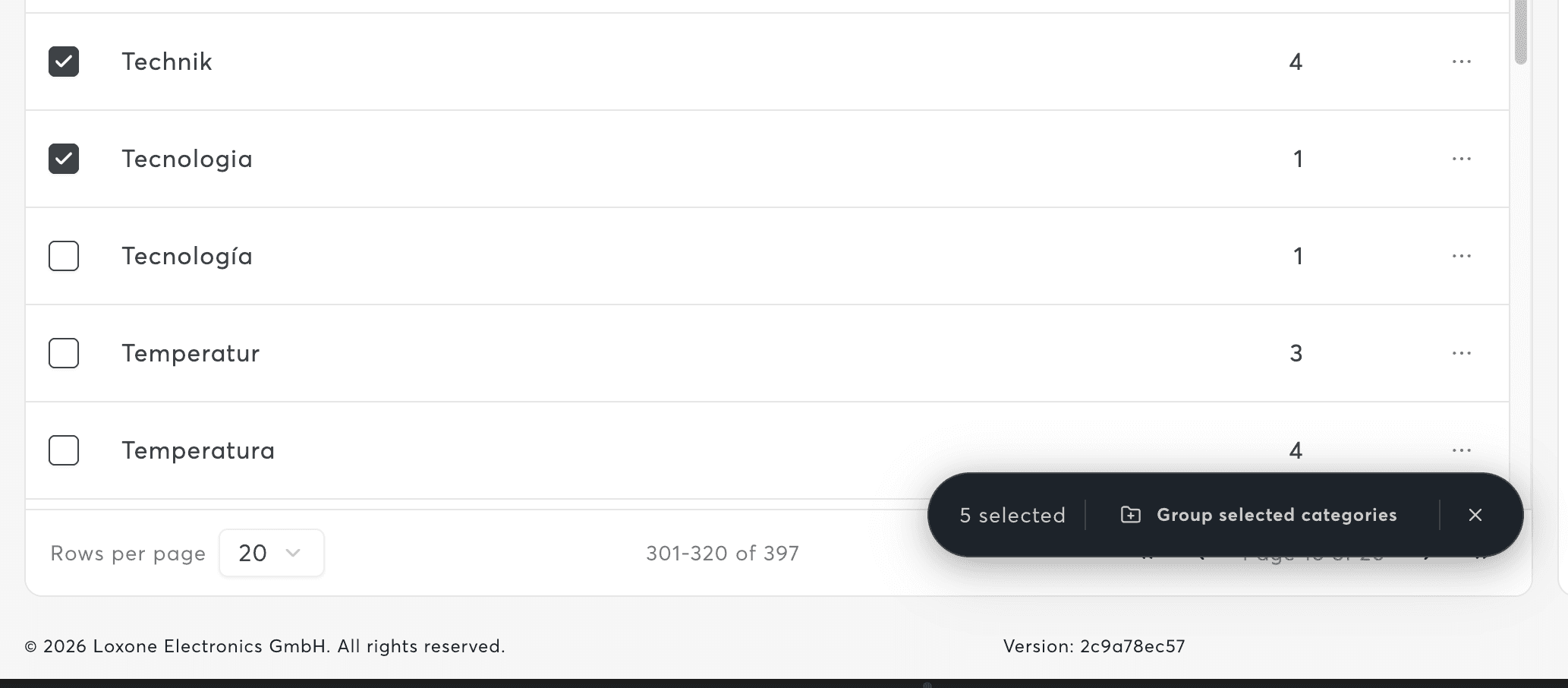
List View and Search
Use the search field to filter categories by name. The table displays:
| Column | Description |
|---|---|
| Name | Category or group name |
| Device Count | Number of controls assigned to this category |
| Selection | Checkbox for bulk grouping actions |
Groups are visually distinguished with a folder indicator, making it easy to tell grouped from ungrouped categories at a glance.
Categories are read from your Miniserver structure and cannot be renamed or deleted in Exosphere. Use Loxone Config to modify category assignments.
Group Management
Groups let you organize related categories together for cleaner navigation. For example, you might group "Lighting Indoor" and "Lighting Outdoor" under a single "Lighting" group.
Creating a Group
- Select one or more ungrouped categories using the checkboxes
- Click "Group selected categories"
- Enter a group name and save
Managing Groups
From the group panel you can:
- Rename the group
- Remove members – Categories return to the ungrouped list
- Delete the group – Removes the group but keeps the categories
Grouping is workspace-level and does not affect your Loxone Config. All team members see the same groups.
Navigation Shortcut to Controls
Each category row provides a "Navigate to Controls" link. This opens Inventory → Controls with a prefilled category filter, showing only controls that belong to that category.
Permissions
| Role | Access |
|---|---|
| Owner, Administrator, Editor | Full access (view, group, manage) |
| Viewer | No access |
Related Documentation
- Controls – Filter controls by category
- Rooms – Manage room grouping with similar workflows
- Inventory Overview – Inventory section overview