Authentication & Login
Account creation, login, password management, and workspace setup in Exosphere
Account Creation & Registration
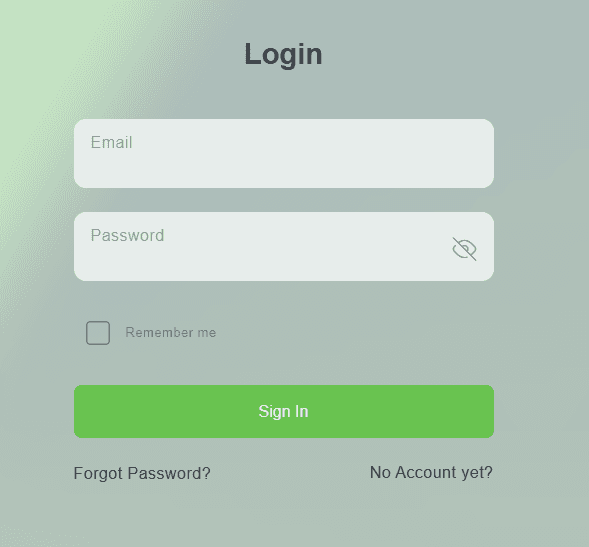
Step-by-Step Registration
-
Access Registration Page
- Navigate to Exosphere
- Click "Sign Up" or "Register" button
- Or use invitation link from team member
-
Fill Registration Form
- Enter your email address
- Create a secure password (8+ characters, mixed case, numbers)
- Confirm password
- Accept terms and conditions
- Click "Create Account"
-
Email Verification
- Check your email inbox
- Click verification link in email
- Account is now activated
Verification Link
The verification link expires after 24 hours. Check your spam folder if not received.
Password Management
Password Requirements
Minimum:
- 8+ characters
- Mixed case letters
- At least one number
- At least one special character
Recommended:
- 12+ characters
- Unique to Exosphere
- Use a password manager
Password Reset
- Go to login page
- Click "Forgot Password?"
- Enter email address
- Check email for reset link
- Create new password
- Log in with new password
Reset Link Expiry
Password reset links expire after 1 hour.
Workspace Setup
Creating a Workspace
-
Access Workspace Creation
- Log in to your account
- Click "Create Workspace"
-
Basic Information
- Enter workspace name
- Select workspace type (Personal or Organization)
-
Configuration
- Configure workspace settings
- Set up notification preferences
-
Team Setup (optional)
- Invite team members (see Team Management)
- Assign roles
- Configure access
Expected result: Workspace created and ready to use
Personal Workspaces
Personal workspaces are automatically created for each Loxone account and provide access to core cloud features without requiring a full Exosphere subscription.
What are Personal Workspaces?
Personal workspaces are a special type of workspace designed to give Loxone Config users easy access to essential cloud features:
- Program file hosting – Store and manage your Loxone Config program files in the cloud
- Wallet (keychain) hosting – Securely store credentials and keys
- Automatic creation – Created automatically when you log in with your Loxone account
Limitations
Personal workspaces have some limitations compared to regular workspaces:
- Single user only – No team collaboration features
- No data collection – Cannot collect or visualize data from Miniservers
- No collaboration tools – Tasks and other collaboration features are not available
- Storage limits – Fair use storage limits apply
Upgrade to Full Features
Personal workspaces are designed to introduce you to Exosphere. To unlock data collection, visualization, team collaboration, and other advanced features, upgrade to a full Exosphere subscription.
Related Documentation
- Team Management - Invite and manage team members
- User Permissions & Roles - Role hierarchy and access control
- License Management - Manage subscriptions
- Troubleshooting - Common issues