Loxone Config Integration
How Loxone Config integrates with Exosphere - connection, credentials, program files, and sync
Overview
Exosphere works with Loxone Config (desktop configuration software) to provide centralized Miniserver management, secure credential storage, and cloud-hosted program files.
Key Integration Points:
- Miniserver Connection
- Credential Management
- Program File Hosting
- Structure File Sync
- Miniserver Hub
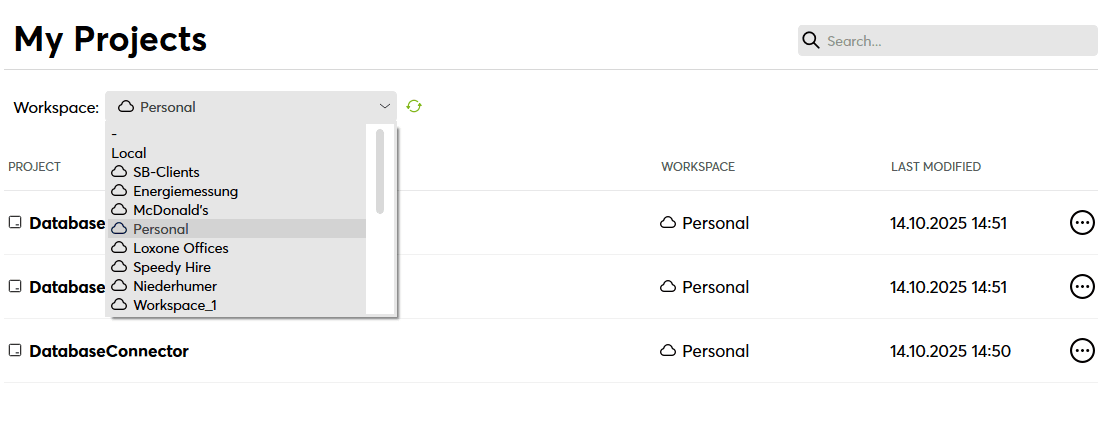
1. Miniserver Connection
Pair Miniserver with Exosphere
See Adding Miniservers for detailed connection steps.
2. Credential Management
What is the Credential Store?
The credential store (also known as "Keychain" in Loxone Config) is your cloud-based credential store for all Miniserver access credentials.
Key Benefits:
- ✅ Sync across devices – Enter password once, use everywhere
- ✅ Team sharing – Automatic credential distribution to team members
- ✅ Zero-knowledge encryption – Credentials encrypted client-side, Exosphere cannot decrypt
- ✅ Device-independent – No more lost passwords when changing computers
How It Works
Adding Credentials
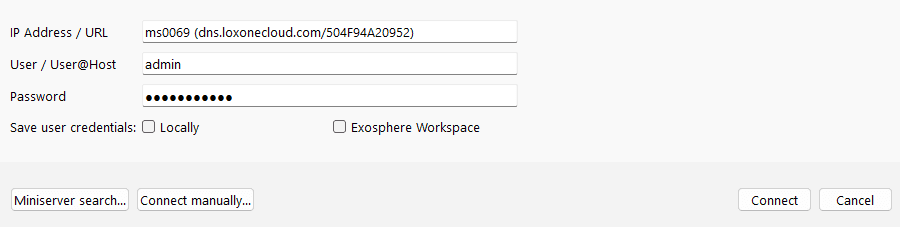
- Enter username/password
- Select storage location:
- Locally – Only you can access
- Exosphere Workspace – Shared with team members
- Click "Connect"
- Credentials get stored in Exosphere
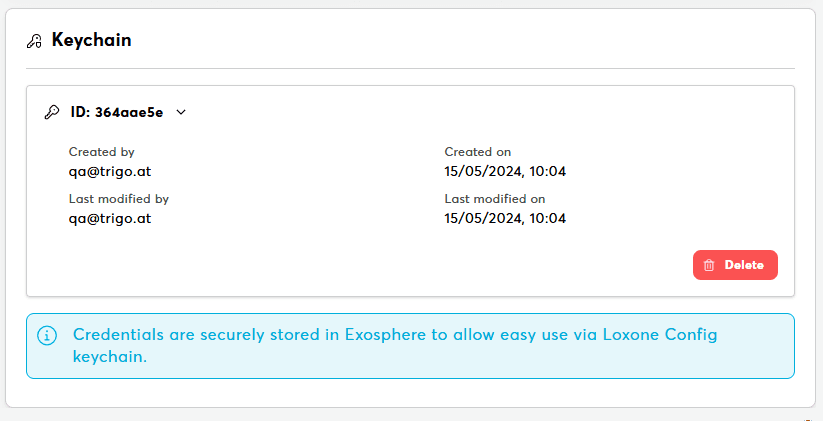
Deleting Credentials
From Exosphere Web UI:
- Navigate to Miniserver details
- Click the "Settings" tab
- Click trash icon next to credential
- Confirm deletion
- Syncs to all devices within minutes
From Loxone Config:
- Open credential manager
- Select credential → Delete
- Change synced automatically
3. Program Files
See Program Files for complete upload/download guide.
Related Documentation
Connection & Setup
Program Management
Workspace Management
Troubleshooting
Official Loxone Resources
Loxone Config Documentation
For comprehensive Loxone Config documentation, function blocks, and programming guides, visit the official Loxone Knowledge Base.