System Status
View and manage system messages from the Miniserver's message center
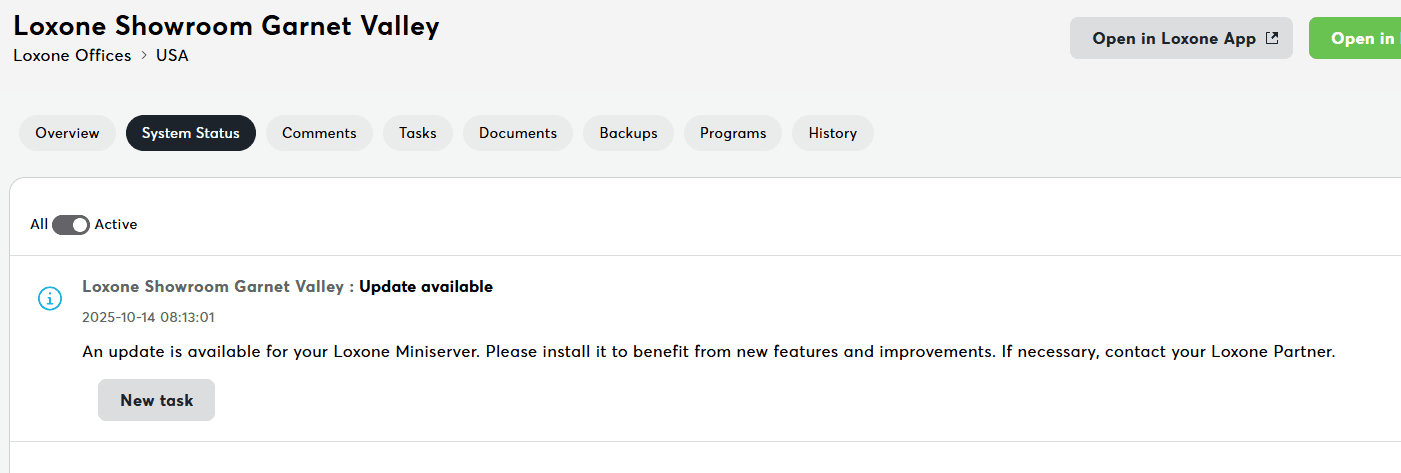
The System Status tab displays system messages and notifications from the Miniserver's message center. This is your central hub for monitoring device health, errors, warnings, and operational events.
What this delivers:
- Real-time system messages from Miniserver
- Error, warning, and informational notifications
- Message filtering and management
- Task creation from messages
What You See
Message List:
- System status messages from Miniserver
- Errors, warnings, and informational notifications
- Timestamp and severity for each message
- Expandable cards for detailed information
Message Types
| Type | Icon | Color | Meaning | Action Required |
|---|---|---|---|---|
| Error | ❌ | Red | System error or failure | Investigate immediately |
| Warning | ⚠️ | Orange | Potential issue | Monitor and address |
| Info | ℹ️ | Blue | Informational event | Review for awareness |
| Success | ✅ | Green | Successful operation | No action needed |
The status icons and colors shown here match those used in Loxone Config – errors, warnings, and system messages are represented in Exosphere the same way as on your Miniserver. This lets you recognize device status at a glance.
Available Actions
Mark as Read
Effect: Removes from unread count
Create Task
Effect: Opens task creation dialog pre-filled with message details
View Details
Effect: Expands full message content
Fetch New Messages
Button: "Fetch System Messages" (Quick Actions)
Effect: Syncs latest messages from Miniserver
Common System Messages
| Message | Meaning | Action |
|---|---|---|
| "Update successful" | Firmware updated | Verify version, test features |
| "Configuration loaded" | Program started | Confirm controls work |
| "Backup created" | Backup completed | Verify in Backups tab |
| "Connection lost" | Network issue | Check network, reconnect |
| "Device offline" | Device offline | Check connections, power, and restart extension |
Related Documentation
- Miniserver Details - Central dashboard
- Quick Actions - Device operations
- Troubleshooting - Common issues and solutions