Documents
Store and manage device-related files and documentation
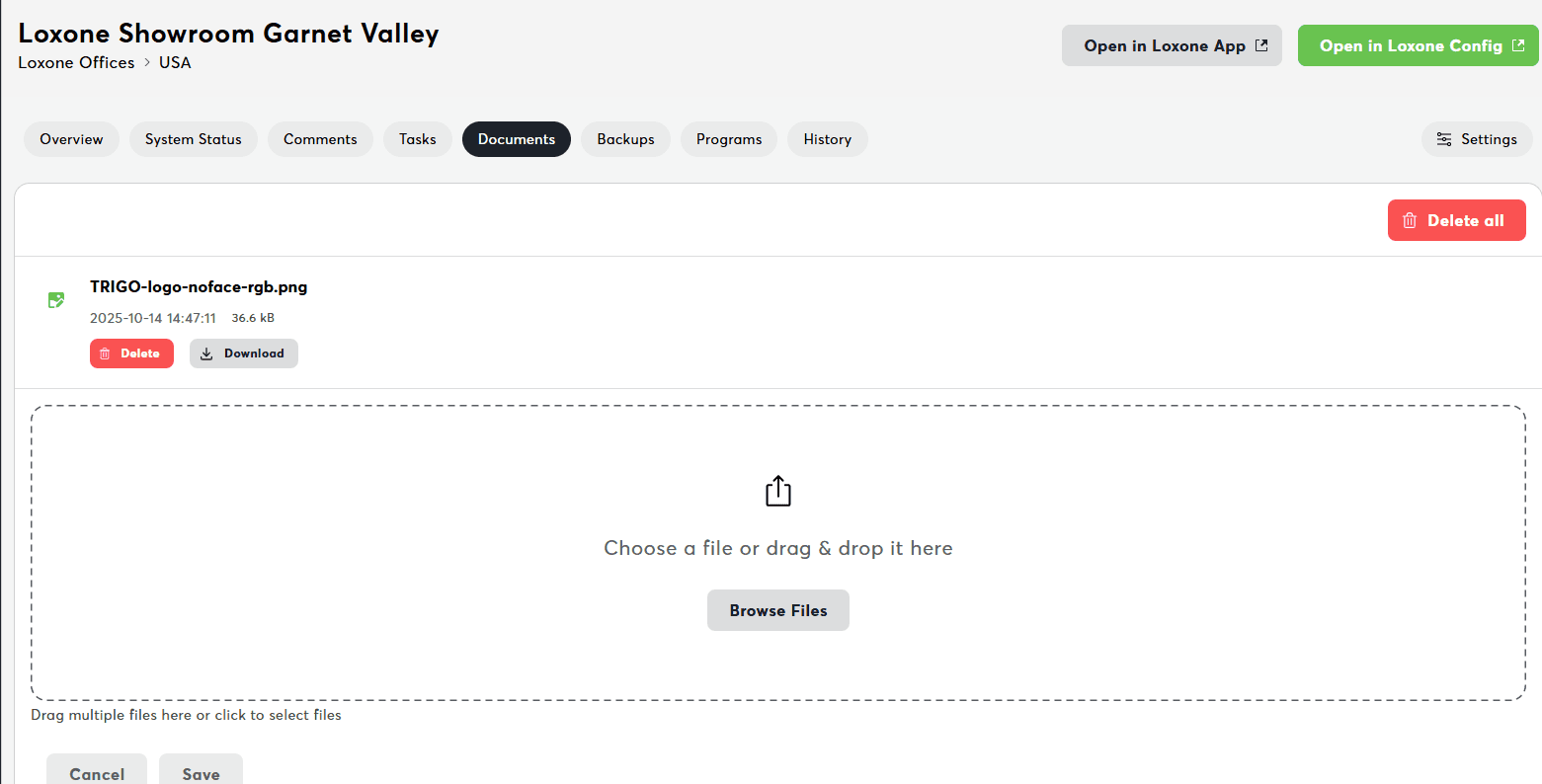
The Documents tab enables file storage and management for device-related documentation. This is your central hub for storing technical files, maintenance records, and reference materials for each device.
What this delivers:
- File upload and storage
- Multiple file type support
- File preview and download
What You See
File List:
- Uploaded documents and images
- File metadata (size, type, upload date)
- Download and delete options
Supported File Types
Images:
- PNG, JPEG, GIF, SVG, WebP
- TIFF, AVIF
- Preview in browser
CAD/Technical:
- DWG (AutoCAD drawings)
- DXF (Drawing Exchange Format)
Documents:
- Word: DOC, DOCX
- PowerPoint: PPT, PPTX
- Excel: XLS, XLSX, CSV
- Text: TXT, CSV
- OpenDocument: ODT, ODS, ODP
Archives:
- ZIP, RAR, TAR, GZ
Videos:
- MP4
Uploading Files
Method 1: Drag & Drop
- Drag files from computer
- Drop onto documents area
- Upload starts automatically
- Progress bar shows status
Method 2: File Browser
- Click "Upload" button
- Select files from dialog
- Choose single or multiple files
- Click "Open" to upload
Upload limits:
- Max file size: 50 MB per file
- Max files: 10 simultaneous uploads
File Actions
Download File
Button: Download icon
Effect: Downloads file to your computer
Delete File
Button: Delete/trash icon
Requirements: Edit permissions
Effect: Permanently removes file (with confirmation)
Preview File
Click: Image thumbnail
Opens: Full-size image preview
Supports: Image files only
Delete All Files
Button: "Delete All" (bulk action)
Requirements: Edit permissions
Effect: Removes all files for device
Permissions
| Action | Required Permission |
|---|---|
| View files | Read device |
| Upload files | Edit device |
| Download files | Read device |
| Delete files | Edit device |
Troubleshooting
Need help?
Having issues with documents? See Miniserver Overview Troubleshooting for solutions to upload failures, permission issues, and preview problems.
Related Documentation
- Miniserver Details - Central dashboard
- Backups - Device backup management
- Programs - Loxone Config project files
- Program Files - Complete guide to managing configuration files