Backups
View backup history and manage device backups
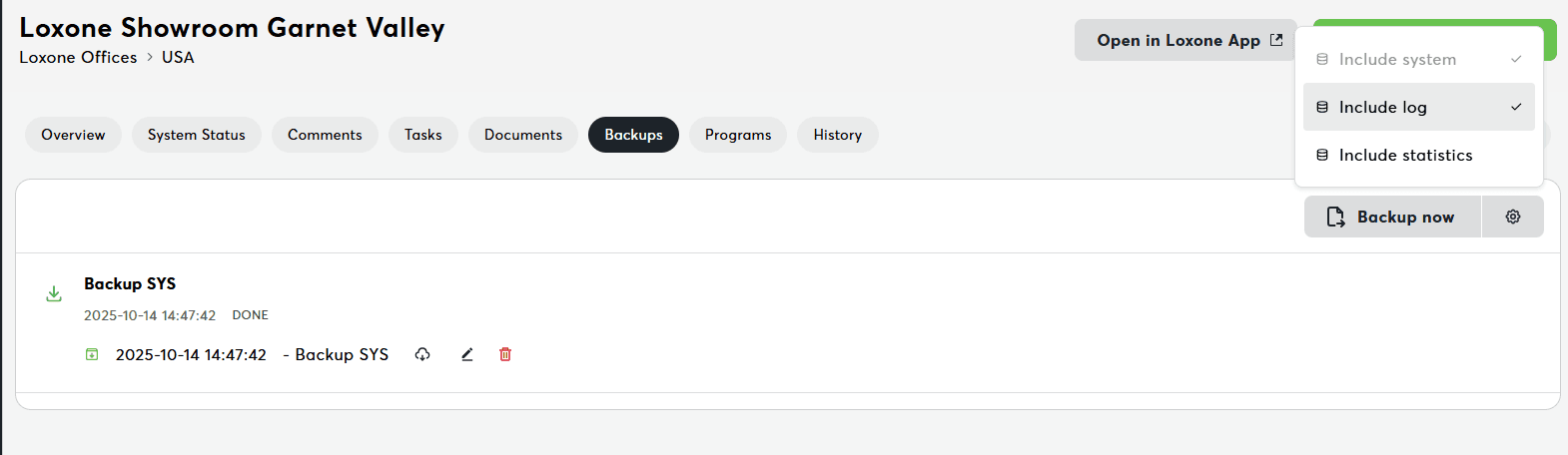
The Backups tab enables backup management for your Miniserver. This is your central hub for creating, restoring, and managing device backups to ensure data safety and disaster recovery.
What You See
Backup List:
- All backups for this device
- Backup status (done, running, error)
- Creation timestamp
- File size
- Backup actions
Backup Card Information
Each backup shows:
- Name: Backup identifier or timestamp
- Status: Done | Running | Error | Pending
- Created: Date and time
- Size: Backup file size (MB)
- Type: Automatic | Manual
- Actions: Download, restore, delete
Backup Status
| Status | Icon | Color | Meaning |
|---|---|---|---|
| Done | ✅ | Green | Backup completed successfully |
| Running | 🔄 | Blue | Backup in progress |
| Error | ❌ | Red | Backup failed |
| Pending | ⏳ | Yellow | Backup queued |
Creating a Backup
Method 1: Quick Action
- Go to Overview tab
- Click "Backup now" in Quick Actions
- Wait for completion (1-5 minutes)
- Verify in Backups tab
Method 2: From Backups Tab
- Click "Create Backup" button
- Optional: Configure backup settings (gear icon)
- Include programs: Yes/No
- Include statistics: Yes/No
- Custom name
- Click "Start Backup"
- Monitor progress
Backup Actions
Download Backup
Button: Download icon
Effect:
- Downloads .lxlb file (Loxone backup)
- Can be opened in Loxone Config
- Useful for offline storage
Delete Backup
Button: Delete/trash icon
Requirements: Edit permissions
Effect: Removes backup from Exosphere storage
Note: Soft delete - can be recovered by support if needed
Restart Failed Backup
Button: Retry/refresh icon
When visible: Backup status is "Error"
Effect: Retries backup creation
Backup Settings
Access: Click gear icon on "Create Backup"
Options:
- Include programs: Full config vs. settings only
- Include statistics: Historical data
- Backup name: Custom identifier
- Schedule: Automatic vs. manual
Automatic backups:
- Configured in Settings → Backup Settings
- Daily, weekly, or monthly
- Time of day
- Retention policy (keep last X backups)
Troubleshooting
Need help?
Having issues with backups? See Miniserver Overview Troubleshooting for solutions to backup creation issues, download problems, and restore errors.
Related Documentation
- Miniserver Details - Central dashboard
- Quick Actions - Device operations
- Programs - Loxone Config project files
- Program Files - Complete guide to managing configuration files